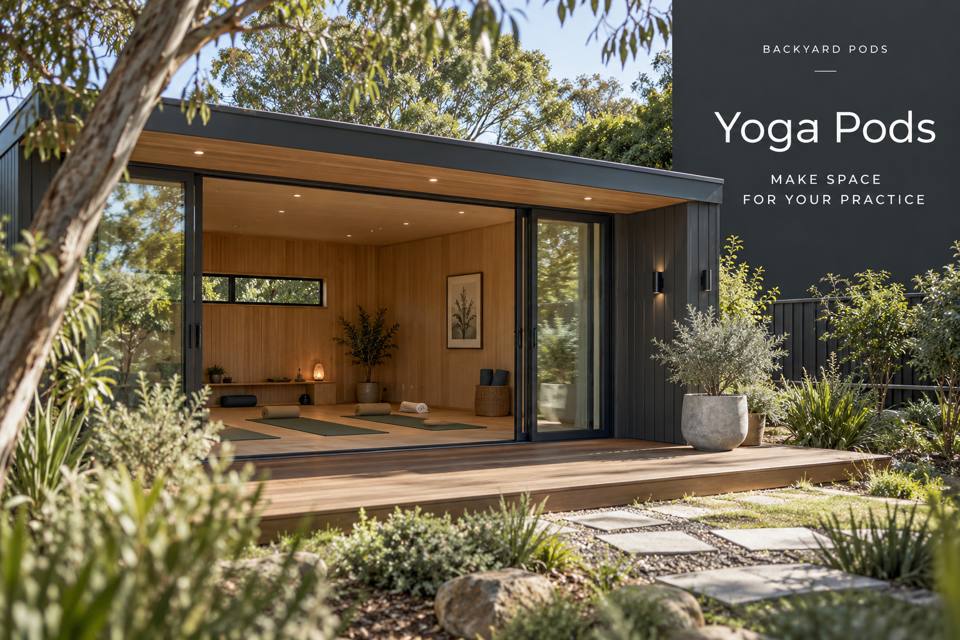
A guided-video yoga room in Victor Harbor should make the chosen session visible without placing equipment in the movement area.
Explore Yoga Pods in Victor Harbor with this specific use in mind.
A guided-video yoga room in Victor Harbor should make the chosen session visible without placing equipment in the movement area. Describe the intended practice, participants and devices. Relevant instructors can help define appropriate session space, while qualified trades assess the building services; the room itself should not be presented as delivering health outcomes.
Mark the complete session area
Use the normal mat and the space required for the selected guided practice, with input from an appropriate instructor where needed. Include transitions and access to props rather than a mat rectangle alone. Keep the route to the entrance clear while the session is in progress. A generous-looking empty room should be tested against the actual movement and equipment intended.
Place the screen from practice positions
Check the selected display from the positions used in the guided session. The viewing angle should not be chosen solely from a seated chair height. Keep the device and its support outside the defined movement area. Mounting, electrical and data requirements need coordination by relevant providers, with access preserved for adjustments and maintenance.
Control reflections and sound practically
Observe daylight on the screen at the intended session hours. Discuss shading and suitable room lighting against this view. Describe playback equipment and sound expectations honestly, seeking appropriate advice where acoustic requirements matter. A detached room does not establish sound isolation, and a window view does not confirm a dependable network connection for the chosen sessions.
Reset devices and props clearly
Measure the props and accessories used, giving them defined storage away from cables. Keep operating instructions for supplied equipment available. Surfaces should follow relevant product guidance and the room's cleaning routine. Rehearse the complete setup, session and return, checking that the screen arrangement remains practical after ordinary belongings and stored props are present.
◈ Assess the garden connection
The garden approach should be checked with participants moving from prop storage into the guided-session area in mind. Mark existing levels at the proposed door, building footprint and connecting path, then ask the project team to assess support and drainage together. Retaining a usable route may influence the floor level more than a preferred facade drawing. Existing trees, planting and household pets also need a clear construction boundary. Do not assume a coastal postcode identifies soil, exposure or a suitable foundation; request property-specific information before committing to ground preparation.
Coordinate fabrication, services and handover
Coordinate fabrication and transport around the assessed screen support and measured prop-storage furniture. Ask the provider whether the project arrives as panels, components or an assembled unit; each approach creates different access and staging needs. Confirm measurements and unloading arrangements before booking work. The service discussion must include playback equipment, network provision and session lighting, with responsibilities assigned to the relevant trades. Review participants following the selected session beside a screen outside the movement area on the furnished drawing. At handover, retain product references, care guidance and any assessed installation documents so later maintenance is based on the supplied project.
▦ Compare the project decisions
| Priority | Brief information | Practical review |
|---|---|---|
| Movement area | Selected practice and relevant instructor input | Mark more than the mat footprint |
| Screen view | Device and normal practice positions | Test visibility without entering equipment space |
| Session reset | Props and device accessories | Keep cables outside the return route |
Keep these priorities visible
- Movement area: Selected practice and relevant instructor input. Mark more than the mat footprint.
- Screen view: Device and normal practice positions. Test visibility without entering equipment space.
- Session reset: Props and device accessories. Keep cables outside the return route.
✓ Prepare the enquiry step by step
- Describe the guided practice and intended participants.
- Mark the complete session area with appropriate instruction input.
- Test the screen from the relevant practice positions.
- Coordinate mounting, lighting and device services professionally.
- Trial setup and prop returns with the room furnished.
Related local project guides
For the complementary backyard studios decisions in Victor Harbor, compare Victor Harbor Backyard Studios for Stop-Motion Sets with Repeatable Camera Positions.
For a different yoga pods use in Victor Harbor, review Victor Harbor Yoga Pods with Adjustable Light for Seated and Standing Practice.
Summary and next step
A useful video-guided room keeps instruction visible and equipment separate. Define the movement area, test practice-position views and coordinate device services. Clear returns and realistic sound or connection expectations support a considered space brief without attributing health outcomes to the building. Bring the completed checklist to your Victor Harbor yoga pods enquiry, with the property measurements and equipment list. Compare the yoga pods range and the South Australia pages against that brief.
Regional references
For local landscape context, consult the council regional information. The Victor Harbor regional climate record offers background for seasonal planning; it does not establish the proposed property's exposure or construction requirements.
