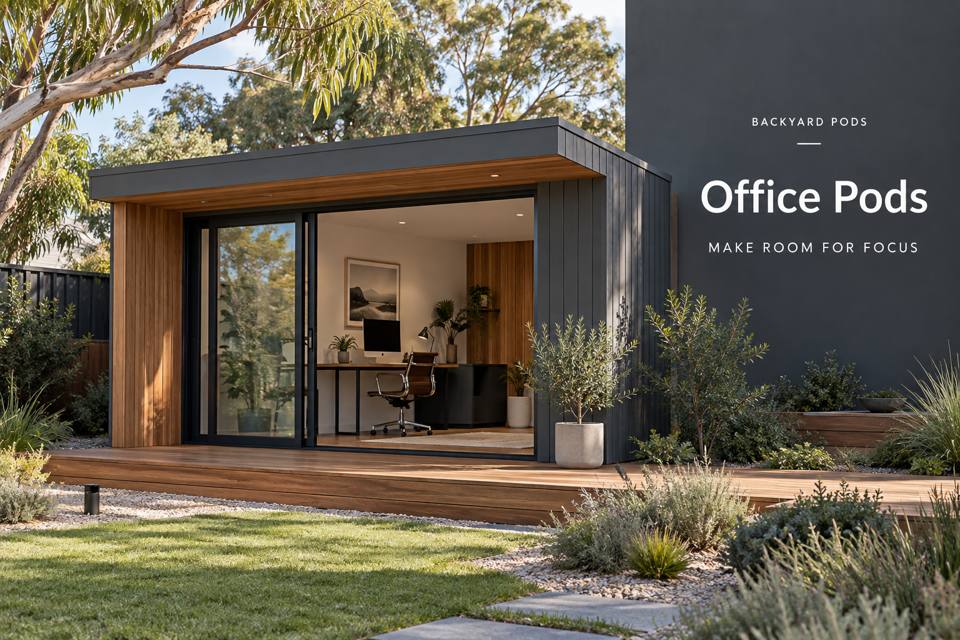
Create a Port Elliot office brief for video calls with camera framing, an acoustic assessment, useful lighting and coordinated equipment placement.
◈ Video Calls with an Acoustic and Background Brief
A video-call office is a small broadcast environment as well as a workspace. The camera sees one direction, the microphone hears the room and the person using it needs comfortable access to documents, controls and a clear exit. Start with those relationships before selecting a pod size. A well-composed background cannot compensate for an awkward desk position or a ventilation system that interferes with conversation. Compare office pods in Port Elliot with the actual camera, screen and microphone arrangement already described.
Port Elliot’s historic streets and seaside setting can inform a restrained interior palette. An office on a residential property, however, needs its own measured design brief. Describe typical call length, equipment and working hours, then compare layouts on the basis of those actual requirements.
Test the camera view at the proposed desk
Place the laptop or camera at its intended height and take a representative test call. Check whether the background reveals private paperwork, catches reflections or frames a doorway used by other household members. Reserve a stable position for frequently used equipment. Moving the screen for every meeting can disturb cable connections and make a carefully planned camera angle difficult to reproduce.
Discuss acoustic requirements with suitable evidence
Explain the activities outside the pod and the sources of sound inside it. Ask providers what acoustic information supports their proposed assembly, rather than treating a decorative wall panel as a complete sound-isolation solution. Soft furnishings may change room sound but do not establish a guaranteed level of privacy. Coordinate doors, glazing and service penetrations with whoever is assessing the acoustic brief.
Balance fresh air with equipment placement
The room must remain usable between calls and during concentrated work. Give the services adviser occupancy hours, computer equipment and the desired desk layout. Review where air outlets, controls and external units will sit. A convenient outlet directly beside a microphone may create another problem. Discuss operation and maintenance access before fixing cabinetry around equipment that eventually needs servicing.
Plan a clean route from working notes to storage
Use separate places for current meeting notes, reference documents and material awaiting filing. A shallow tray near the desk can support the call sequence without covering the keyboard. Identify secure storage where the information requires it. Consider the path from the home to the office in poor weather, and have the relevant professionals resolve external levels, lighting and drainage without reducing access to the building.
▦ Compare the practical decisions
| Decision | Information to provide | Review action |
|---|---|---|
| Camera position | Lens height and usable background | Run a test call |
| Room sound | Assembly information and likely noise sources | Discuss expectations with the adviser |
| Services | Outlet, air movement and control locations | Check access while seated |
Details to keep in the brief
- Prepare a test view with the actual camera and screen.
- Identify indoor equipment noise separately from neighbouring activities.
- Include a closed destination for paperwork visible during calls.
✓ Prepare the project step by step
- List the equipment and the longest typical meeting.
- Check framing and screen reflections in a realistic desk mock-up.
- Request acoustic evidence suited to the intended conversation privacy.
- Coordinate ventilation controls, lighting and the microphone position.
- Review an itemised fit-out proposal against a complete working day.
Related local project guides
Compare this calling brief with a neighbouring office guide centred on client presentations: Victor Harbor Office Pods for a Clear Client Presentation and Follow-Up Workflow.
For a connected addition instead of a detached office, review the local circulation discussion: Victor Harbor Home Extensions that Protect Existing Daylight and Improve Family Circulation.
Discuss a measured proposal
Use a representative call to start your office enquiry. Sharing the equipment list and the proposed camera view makes it easier to discuss a fit-out that supports both meetings and the work between them. Compare the office pods collection, and review the South Australia options against your property brief.
Summary
Create a professional calling environment by testing the whole room, not just the background. Equipment placement, service noise and document handling deserve equal attention. A repeatable desk arrangement and an evidence-based acoustic discussion help turn a garden office into a dependable working space.
Local source
Alexandrina Council — Port Elliot
